
Microsoft 365 Consulting in Denver, Colorado Since 2002
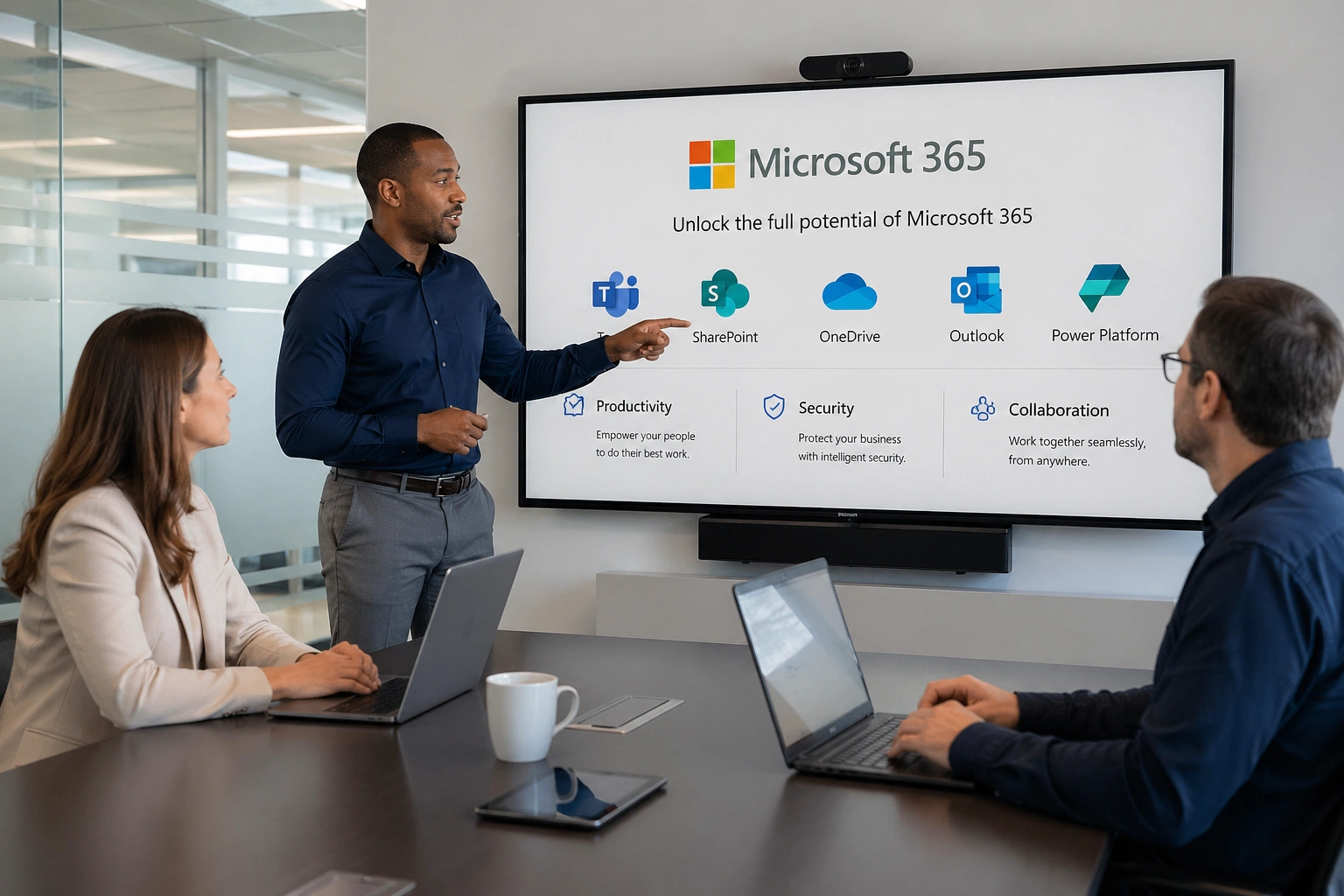
Paying for Microsoft 365 and getting full value from it are two different things. Most Denver businesses make the switch, migrate their email, and stop there. The collaboration tools sit mostly unused. Security settings remain at their defaults. Conditional Access has never been configured. SharePoint is a shared drive that nobody has organised. Teams is either adopted enthusiastically without any governance or quietly ignored because nobody explained why it matters. The platform is running, but it is not working the way it was designed to, and the Denver organisation is absorbing the cost of a capable system that is delivering a fraction of its potential.
TSI Colorado has been helping Colorado businesses close that gap since 2002. As a trusted IT partner for organisations across the Front Range, our Microsoft 365 consulting practice is built on a straightforward principle: we do not hand a Denver business a configured tenant and walk away. We assess the specific workflows, team structure, security requirements, and Denver industry's compliance obligations, then build an M365 environment that serves how the Denver organisation actually operates. Whether evaluating Microsoft 365 for the first time or operating one for years without unlocking what it can do, TSI Colorado's consulting practice starts where the Denver organisation is and builds toward what it needs.
TSI Colorado's Microsoft 365 Consulting Services for Denver Businesses

Microsoft 365 Licensing Assessment
Choosing the wrong Microsoft 365 plan costs Denver businesses money in two directions simultaneously. Underbuying leaves teams without the compliance, security, and collaboration capabilities their industry requires. Overbuying funds features that will never be used. TSI Colorado conducts a thorough licensing needs assessment before recommending any plan for Denver organisations, mapping team size, workflow requirements, compliance obligations under the Colorado Privacy Act and sector-specific frameworks, and industry-specific needs against the actual feature sets of each Microsoft 365 tier.

Microsoft Intune and Device Management
When Denver employees work from multiple devices and locations, enforcing consistent cybersecurity standards across the M365 environment requires a device management layer. Microsoft Intune gives TSI Colorado the ability to manage every device accessing the Denver organisation's Microsoft 365 tenant, enforce compliance policies that prevent non-compliant devices from reaching corporate data, deploy applications and configurations at scale, and wipe corporate data from a device remotely when needed. Intune is included in Business Premium and higher plans that most Denver businesses pay for and never configure.

Tenant Setup and Migration
A Microsoft 365 tenant configured incorrectly at the start creates problems that compound over time for Denver businesses. Misconfigured domains, poorly planned user structures, and default security settings that were never hardened become the foundation that everything else is built on. TSI Colorado manages the complete tenant setup process for new Denver deployments and assesses and remediates existing tenants that were stood up without a structured approach. For Denver organisations migrating from on-premises Exchange, Google Workspace, or a prior cloud platform, TSI Colorado handles the full transition with zero data loss and minimal disruption.

SharePoint Architecture and Document Management
SharePoint is the foundation of document management and internal collaboration in Microsoft 365, and it is consistently the most underutilised component of the platform in Denver deployments that lacked professional consulting at the start. TSI Colorado designs SharePoint site architectures that reflect the Denver organisation's actual workflow structure, configures permission hierarchies that give the right people access to the right information, and implements metadata and search configurations that make document retrieval functional rather than frustrating.

Security Hardening and Identity Protection
Microsoft 365's default security configuration is not designed to protect Denver organisations. It is designed to get the platform running. Multi-Factor Authentication is not enforced by default. Conditional Access policies that restrict login based on device compliance and location require explicit configuration. Microsoft Defender for Office 365 anti-phishing and safe attachment policies must be activated and tuned. Data Loss Prevention rules that prevent sensitive information from leaving the Denver environment need to be designed around specific data categories. TSI Colorado implements all of these controls as standard components of every Denver M365 consulting engagement.

Microsoft Teams Deployment and Governance
Teams is one of the most powerful collaboration platforms available to Denver businesses and one of the most chaotic when deployed without a governance plan. Unmanaged Teams environments accumulate abandoned channels, inconsistent naming conventions, unrestricted external sharing, and growing compliance exposure under the Colorado Privacy Act and sector-specific frameworks. TSI Colorado designs Teams governance frameworks that match how Denver organisations actually communicate, establishing channel standards, external sharing policies, meeting recording retention rules, and guest access controls before the platform is opened to users.

Colorado Privacy Act Compliance Configuration
Denver businesses that collect or process the personal data of Colorado residents operate under the Colorado Privacy Act, which has been in effect since 2023. CPA compliance maps to specific Microsoft 365 configurations: retention policies aligned to CPA data minimisation requirements, sensitivity labels that classify personal data categories, audit logging that supports data subject access request workflows, and information access controls that enforce data minimisation obligations. TSI Colorado configures these capabilities for Denver CPA-covered organisations as a standard component of every M365 consulting engagement.

Ongoing M365 Administration and User Support
A well-configured Microsoft 365 environment requires active management to stay that way. New Denver employees need to be provisioned correctly. Departing employees need to be offboarded without leaving orphaned accounts that create security exposure. License assignments need regular review. Microsoft releases policy and feature changes affecting security posture on a continuous schedule. TSI Colorado's ongoing M365 administration as part of our broader managed IT services programme ensures Denver organisations' Microsoft environments are managed continuously, not configured once and left to drift.
Why Denver Businesses Need Colorado-Specific Microsoft 365 Consulting
Denver is home to a significant concentration of businesses operating under Colorado's specific regulatory frameworks in ways that directly affect how Microsoft 365 must be configured. The Colorado Privacy Act imposes data minimisation, retention limitation, consumer rights fulfillment, and documented data handling obligations on Denver businesses collecting or processing Colorado resident personal data. HIPAA affects Denver healthcare organisations and their business associates. FINRA and SEC frameworks affect Denver financial services firms. Getting Microsoft 365 configuration right for Denver organisations is not a technical preference. It is a compliance requirement with real regulatory consequences when it is not met.
Denver's financial services community, including brokerage firms, registered investment advisors, and insurance organisations concentrated in the Denver Tech Center and LoDo financial district, operates under FINRA and SEC communication compliance and records retention frameworks that impose specific Microsoft 365 configuration requirements. Teams retention policies, Communication Compliance activation, information barriers for organisations with conflicts-of-interest obligations, and records management configurations are all required M365 settings for Denver financial services firms that a generic M365 deployment template does not address. TSI Colorado's cybersecurity services and M365 consulting practices are delivered as an integrated programme, ensuring that security configuration and compliance governance are built into the Microsoft 365 environment from the first day of every Denver engagement.
- Colorado Privacy Act compliance configuration as a standard component of every Denver M365 engagement, not an optional add-on requested after the tenant is already deployed.
- FINRA and SEC-aligned Teams retention and Communication Compliance configuration for Denver financial services organisations.
- HIPAA technical safeguard implementation for Denver healthcare organisations and their business associates across every relevant M365 capability.
- Security-first configuration methodology that replaces Microsoft's access-prioritising defaults with hardened settings appropriate for Denver organisations.
- Integrated management of M365 alongside Denver managed IT services, network monitoring, and cybersecurity for a unified technology environment.
- Over two decades of Microsoft platform management in Colorado, covering every major M365 generation from earliest Office 365 iterations through the current Copilot-era platform.
The Real Cost of an Improperly Configured Microsoft 365 Environment for Denver Businesses
Denver businesses that deployed Microsoft 365 without professional consulting guidance are carrying costs they may not have fully identified. Some are visible and immediate. Others accumulate quietly until a compliance examination, a security incident, or a licence review makes them impossible to ignore.
- Productivity loss from collaboration tool adoption failure that negates the M365 investment: When Teams, SharePoint, and OneDrive are deployed without governance frameworks and without structured user onboarding, Denver employees default to email attachments and local file storage. The collaboration investment produces a Microsoft 365 bill with no corresponding change in how the Denver team actually works. The ROI of the M365 migration is consumed by the adoption failure that professional consulting prevents.
- Security incidents from Microsoft 365 configuration gaps that exploit Denver organisations: Business email compromise targeting Denver organisations succeeds overwhelmingly against tenants where MFA is not enforced, and Conditional Access has never been configured. The attack vector is not sophisticated. The configuration gap is simply present because the tenant was deployed without a security hardening review. TSI Colorado's security-first M365 methodology closes these gaps as a deployment standard rather than as post-incident remediation.
- Colorado Privacy Act violations from M365 data governance that was deployed but never configured: Denver businesses operating under the Colorado Privacy Act that deploy Microsoft 365 without configuring retention policies, sensitivity labels, and audit logging are operating data governance obligations against a platform that is not configured to satisfy them. The CPA violation is not in the platform choice. It is in the gap between what the platform can do and what was actually configured, a gap that TSI Colorado closes as a standard component of every relevant Denver M365 engagement.
- Licence overspend from unreviewed M365 assignments that accumulate over time: Denver organisations frequently carry Microsoft 365 licences assigned to employees who departed months ago, plan tiers that include compliance features no one ever activated, and separately purchased tools that Microsoft 365 already provides at no additional cost. The quarterly licence audit TSI Colorado conducts for Denver M365 clients identifies and eliminates each of these costs, producing recoverable spend that frequently offsets a significant portion of the M365 management investment.
- Migration data loss from planning that prioritised speed over completeness: Denver businesses that migrated to Microsoft 365 without conducting a dependency assessment before scheduling the cutover risk email archive gaps, shared mailbox configuration breaks during migration, and SharePoint permission breaks that are difficult or impossible to reverse after the migration completes. TSI Colorado's dependency-first migration methodology prevents these outcomes by completing the assessment before the move date is set.
How TSI Colorado Approaches Microsoft 365 Consulting for Denver Organisations
TSI Colorado's Microsoft 365 services for Denver businesses is a process structured to produce a configured, secured, and actively adopted platform, not a completed checklist. We begin by understanding the Denver organisation before recommending anything.
- Environment discovery and needs assessment before any configuration recommendation: TSI Colorado documents the Denver organisation's current email infrastructure, collaboration tools, file storage environment, user directory, compliance obligations, and security requirements before recommending any M365 configuration. Denver M365 clients receive a deployment built around their actual environment and their specific compliance context, not a generic template applied to a Denver address.
- Licensing recommendation with written justification for every plan decision: Every Microsoft 365 licensing recommendation TSI Colorado makes for a Denver business includes a written explanation of why the specific plan was selected, which features justify its cost for the Denver organisation, and where the next tier up would or would not add measurable value for the specific workflows and compliance requirements in play.
- Phased deployment that keeps Denver teams productive throughout the transition: TSI Colorado sequences Microsoft 365 deployments for Denver organisations to keep teams productive throughout the process, migrating and configuring in phases that maintain rollback capability at each stage rather than executing a single high-risk cutover that risks disrupting Denver business operations for an extended window.
- Security configuration review against TSI Colorado's baseline before any Denver team goes live: Every Microsoft 365 deployment TSI Colorado manages for a Denver business includes a security hardening review against our documented configuration baseline before the Denver team is transitioned to the new environment. The baseline replaces Microsoft's access-prioritising defaults with the security-prioritising configurations that Denver organisations' regulatory environments require.
- User training and change management for Denver staff on the tools they will actually use: TSI Colorado provides structured onboarding for Denver staff covering the Microsoft 365 tools they will use in their daily workflows, the workflow changes the deployment creates, and the support resources available after go-live. Adoption failure is a deployment failure, not a user failure. TSI Colorado's change management component prevents the adoption failure that produces a Microsoft 365 bill with no corresponding productivity return.
- Post-deployment IT help desk and M365 optimisation for the Denver environment: TSI Colorado monitors Denver Microsoft 365 environments after deployment, reviewing adoption metrics, security alerts, and license utilisation monthly to identify optimisation opportunities and address emerging compliance or security issues before they produce incidents. Denver employees who encounter M365 issues after deployment reach TSI Colorado's IT help desk services with the same infrastructure context as the team that configured the tenant.
What Makes TSI Colorado's Microsoft 365 Consulting Different for Denver Businesses
- Colorado Privacy Act configuration as the starting point, not the compliance add-on: TSI Colorado configures retention policies, sensitivity labels, audit logging, and data subject rights workflows for every Denver M365 tenant covered by the Colorado Privacy Act from day one of the engagement. CPA compliance is not requested after the tenant is deployed. It is the baseline from which every relevant Denver M365 engagement begins.
- Security hardening that replaces Microsoft's defaults with configurations appropriate for Denver's industries: Microsoft ships M365 tenants with security settings designed for broad accessibility, not for the regulatory environments of Denver's financial services, healthcare, legal, and technology sectors. TSI Colorado's security hardening methodology replaces those defaults with Conditional Access policies, Defender for Office 365 tuning, DLP rules, and identity protection configurations that reflect each Denver organisation's actual risk profile.
- FINRA, SEC, and HIPAA-aligned M365 configuration for Denver's regulated industries: Denver financial services firms under FINRA and SEC frameworks receive Communication Compliance activation, retention policies aligned to records retention obligations, and information barriers where the Denver firm's structure requires them. Denver healthcare organisations receive HIPAA-aligned Compliance Centre configuration. These are standard components of relevant Denver M365 engagements, not optional compliance modules.
- Licensing assessment that justifies every plan decision in writing before any commitment: TSI Colorado does not recommend Microsoft 365 plan tiers without providing written justification explaining which specific features the recommended tier provides that lower tiers do not, and whether the next tier up would or would not add measurable value for the Denver organisation's specific requirements. Denver clients make licensing decisions with documentation, not based on a vendor comparison slide.
- M365 management integrated with Denver IT consulting and the complete IT environment: TSI Colorado manages Microsoft 365 alongside network monitoring, cybersecurity, and IT consulting for Denver managed clients, ensuring M365 security configurations, Entra ID settings, and Intune device policies are coherent with the complete Denver IT environment. M365 does not operate as an isolated platform with gaps at its boundaries.
- Over two decades of Microsoft platform experience across every generation of the product in Colorado: TSI Colorado has managed Microsoft environments for Colorado businesses through every major platform generation: from on-premises Exchange and SharePoint Server deployments through the earliest Office 365 iterations to the current Microsoft 365 and Copilot ecosystem. The configuration decisions that cause problems for Denver organisations years after deployment are the ones TSI Colorado has already seen produce those problems in Colorado client environments.
Get a Free Microsoft 365 Assessment for Your Denver Organisation
Most Denver businesses are not getting the return they should from their Microsoft 365 investment. The tools are there. The licences are paid for. What is missing is the professional configuration, security hardening, Colorado Privacy Act compliance governance, and adoption management that transforms a running platform into one that genuinely improves how the Denver team works and protects how its data is handled.
Connect with TSI Colorado today to schedule your free introductory appointment online. Our team will assess the Denver organisation's current Microsoft 365 environment, identify the security, compliance, and adoption gaps that are costing productivity and security, and show exactly what a properly configured, actively managed M365 environment looks like for a Denver organisation of your size and industry.
Frequently Asked Questions
The Colorado Privacy Act imposes data minimisation, retention limitation, consumer rights fulfillment, and documented data handling obligations on Denver businesses collecting or processing Colorado resident personal data. TSI Colorado maps each CPA obligation to its corresponding Microsoft 365 configuration: retention policies aligned to CPA data retention limits, sensitivity labels that classify personal data categories, audit logging that supports data subject access request fulfilment, and information access controls that enforce data minimisation. CPA governance is maintained as a monthly operational function, not configured once and left static.
How can we help?
Whether you need immediate help with an IT issue or want to discuss your long-term IT strategy, our team is here to help.
Call us at (719) 266-3007 or complete the form below and we'll help in any way we can.
